









Beta Space StudioBeta Space Studio logo

BSS ACADEMY — AI PRODUCTIVITY

Build your personal AI agent with Claude

Claude can now work directly with files on your computer — open, edit, convert, send. Learn to finish office tasks in seconds.

15–16 September 2026 · 18:00–20:00 (GMT+3) · Online

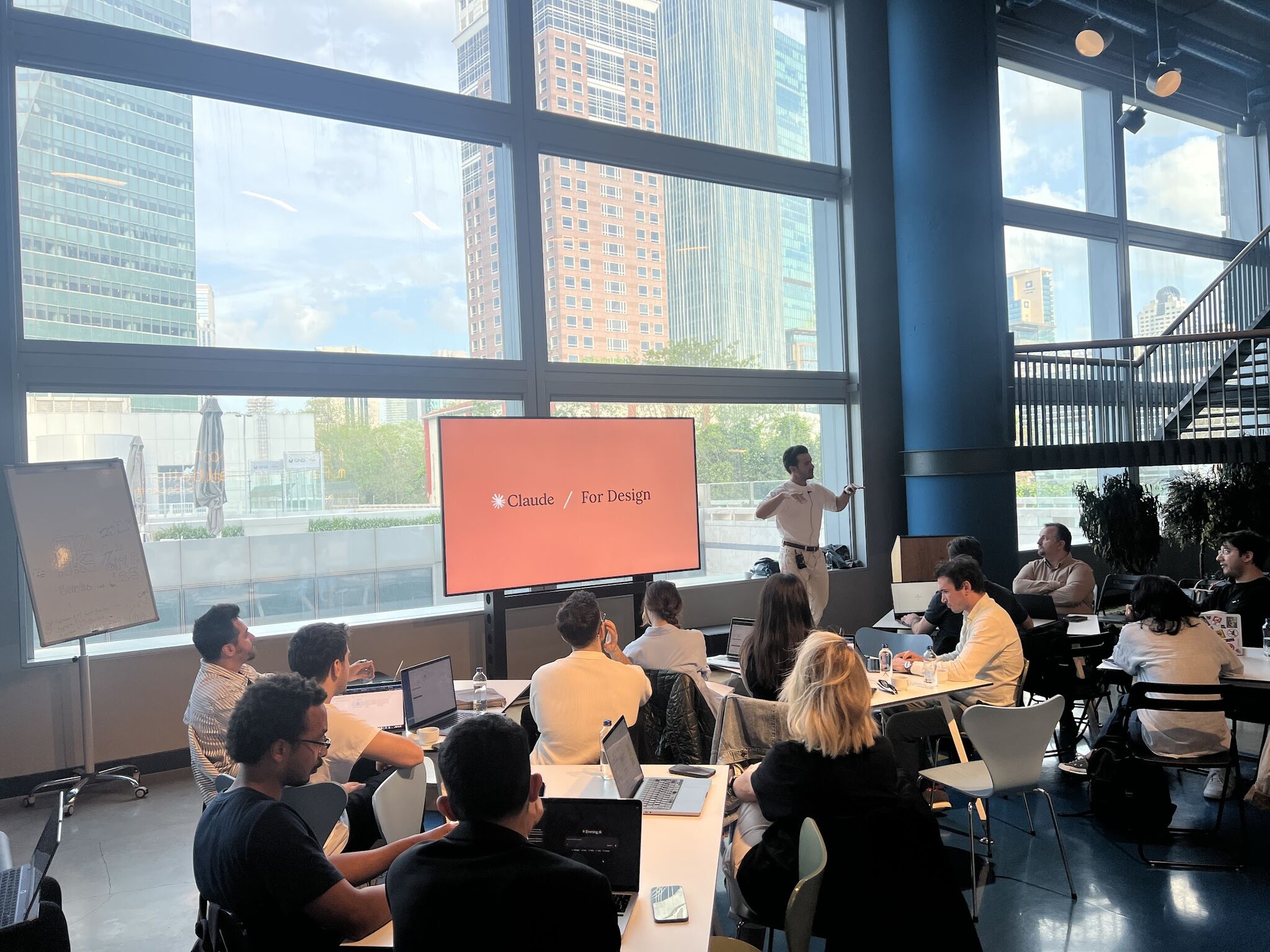
BSS Academy AI Productivity training — live workshop

Post-training survey

100% of participants said they would directly apply at least one thing they learned in the training at work this week.

The problem

If this sounds familiar, you're not alone

01

You have ChatGPT write reports but the output always falls short. You don't know why you can't get it right.

02

Your company gave you Copilot but nobody actually uses it — everyone agrees it doesn't work.

03

You think "I should learn prompt engineering" but don't know where to start.

04

You're considering upgrading to Claude Pro for $20 but aren't sure if it'll "actually make a difference."

Claude isn't just a chatbot — it's a work assistant

Skills

Skills

Rules you teach Claude. Your company's writing style, email template, report format — define once, get consistent output every time.

MCPs

MCPs

Tools Claude connects to. Gmail, Google Drive, Slack, Excel — it accesses all of them directly, pulls data, and takes action.

Cowork

Cowork

Claude opening and editing files on your computer for you. Open Word, generate PDFs, create folders — you just watch.

When these three features work together, Claude goes from being a one-off chat tool to your personal office assistant.

Training Content

Our focus in this training: real office work

Email & Communication

Template creation, language preferences, specific word and tone settings. Make Claude write "like you" every time.

Document Generation

PDFs, Word docs, presentations — with your company's template, in the format you want. Generate in bulk instead of one by one.

Profession-Specific Rules

Turn your job's decision mechanisms, checklists, and standards into Skills. Claude applies these rules in every output.

Say you have a task like this:

01

Get 50 people's info from an Excel spreadsheet

02

Place them into a Word template

03

Generate 50 personalized PDFs

Doing it manually1 day
With Claude2 minutes

Through real scenarios like this, we'll work together on the tricks, the right model selection, and effective prompt structures.

Training Details

What You'll Learn

Learn to use AI not for asking questions, but for producing real work output with Claude's latest features.

Curriculum

01

Defining profession-specific rules with Skills

02

Gmail, Drive, Slack, Outlook, Teams, SharePoint integration with MCP

03

File production automation with Cowork

04

Producing Word, PPTX, PDF at professional quality

05

Using Claude Chrome and Excel extensions

06

Email analysis, meeting summaries, and document access with Google Workspace integration

07

Tips for creating your own Skills

Who It's For

Professionals losing time on daily office tasks who want real output from AI

Outcome

Repetitive office tasks become automated — every employee gets their own AI assistant.

Date

15–16 September 2026 · Tue–Wed

Days

Two days

Duration

2 hours per day · 18:00–20:00 (GMT+3)

Format

Online · live

Instructors

Who will you learn from?

Onat Vural

Onat Vural

Claude Ambassador, Beta Space Studio Co-founder

Has been delivering corporate transformation projects and training for over 10 years. Worked with hundreds of professionals in intrapreneurship, human-centered design, and lean startup. Now applying the same methodology to AI transformation.


Said Sürücü

Said Sürücü

Claude Ambassador, Beta Space Studio Co-founder

A developer since childhood, Said has always brought a technology layer into every sector he worked in. One of the first to popularize the MCP concept in Turkey. Known among both legal professionals and developers for his YargıMCP and YargıGPT projects. Has been delivering AI training for over 2 years, training a total of 1,500 people in 2025.

Note

Beta Space Studio is organizations' "human-first AI" partner. We actively use Claude Desktop, Cowork, and Claude Code every day. We update our content daily — we teach today's practice, not yesterday's knowledge.

SURVEY RESULTS

What participants say

100%

Said they'll apply learnings at work this week

90.9%

Found the training level appropriate or above

100%

Chose file generation with Cowork as the most useful topic

Because it was relevant to my field — being able to create individual salary notification documents in a short time. It's very impressive that an AI personal assistant can access and work with all systems.
Program Participant
Creating output with Skills was very successful. Once you define the rules, you get consistent and professional results every time.
Program Participant
Claude's capabilities were very surprising. I saw features like file creation and system integration for the first time — it can make a real difference in work life.
Program Participant

Post-training survey

We start on 15–16 September. Reserve your spot.

15–16 September 2026 · 18:00–20:00 (GMT+3) · Online

Other Programs

Explore other programs

AI Productivity Program — BSS Academy | Beta Space Studio | Beta Space Studio